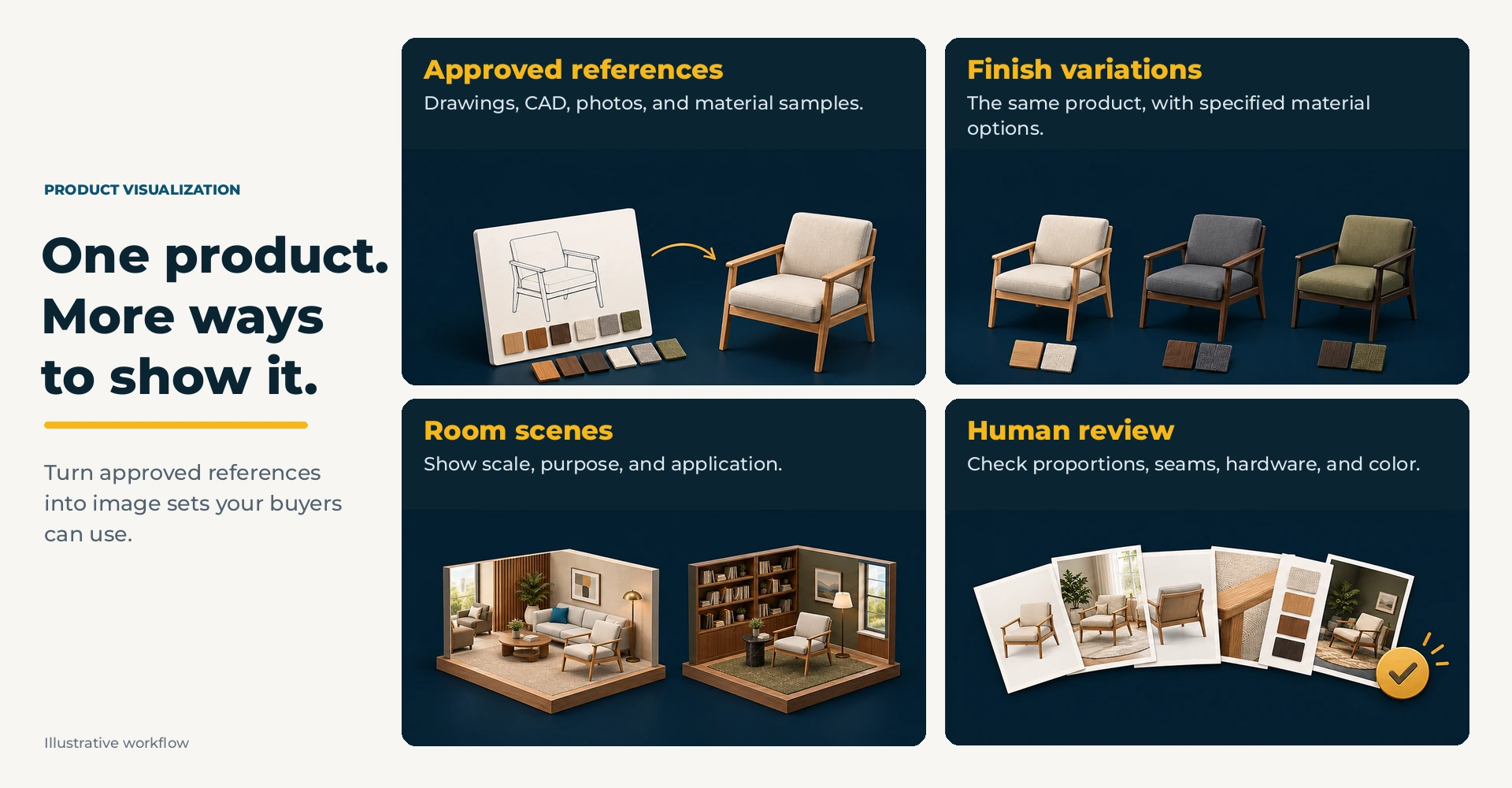
Each finish, fabric, and application adds another view to a configurable product line. A planned visualization workflow starts with an approved product reference, then develops the combinations the catalog and sales team actually need.
Start from what already exists
Line drawings, dimensioned drawings, spec sheets, CAD, and old photography are all fine starting points. We are not inventing a product, we are showing the one you already make in more situations.
Build sets, not one-offs
One image of one chair does not help much. The same chair in every finish, the same casegood in three room types, the whole family shot at the same angle, that is what makes a catalog easy to move through.
Keep a human in the loop
Art direction is the difference between an image that looks about right and one a designer will specify from. Proportions, hardware, seams, and how a finish behaves under light all need somebody who knows the product to sign off. We use AI to move faster, and a person still approves every frame.
Where the images earn their keep
Product and category pages
Digital catalogs and dealer channels
Interactive sales presentations
Launch campaigns and email
Trade-show graphics
This is exactly the work behind our Akin product visualization program: line drawings and finish options turned into room scenes designers can specify from.